- Sep 24, 2025
⚡ Crafting Organic Diegetic Split Screens in AI Video with Nano Banana ⚡
- Francesca Fini
- MICRO-TUTORIALS
- 0 comments
Why JSON Prompting Unlocks Nano Banana’s Potential
One of the most powerful tricks I’ve discovered with Nano Banana is how well it works with JSON prompting. Instead of writing long, flowing natural language prompts, you can structure your scene into clean, editable parameters.
The result?
More control over visual details
Easier iteration (swap one element without rewriting everything)
A clearer workflow for cinematic storytelling
Today, I’ll show you how I used JSON prompting in Nano Banana (via Higgsfield Image Generator) to create a cinematic organic split screen—a diegetic device where the separation between two characters is part of the story’s physical reality.
The Diegetic Split Screen Explained
In traditional cinema, a split screen often feels like a stylistic overlay. But a diegetic split screen builds the separation into the world of the story.
Here’s the effect:
A camera cuts through architecture to reveal two adjacent spaces.
Two characters exist in their own environments, unaware of each other.
The composition is symmetrical, poetic, and filled with emotional tension.
This creates mystery—two lives in parallel, connected but not yet colliding.

My Natural Language Prompt
Here’s the original descriptive prompt I wrote before moving to JSON:
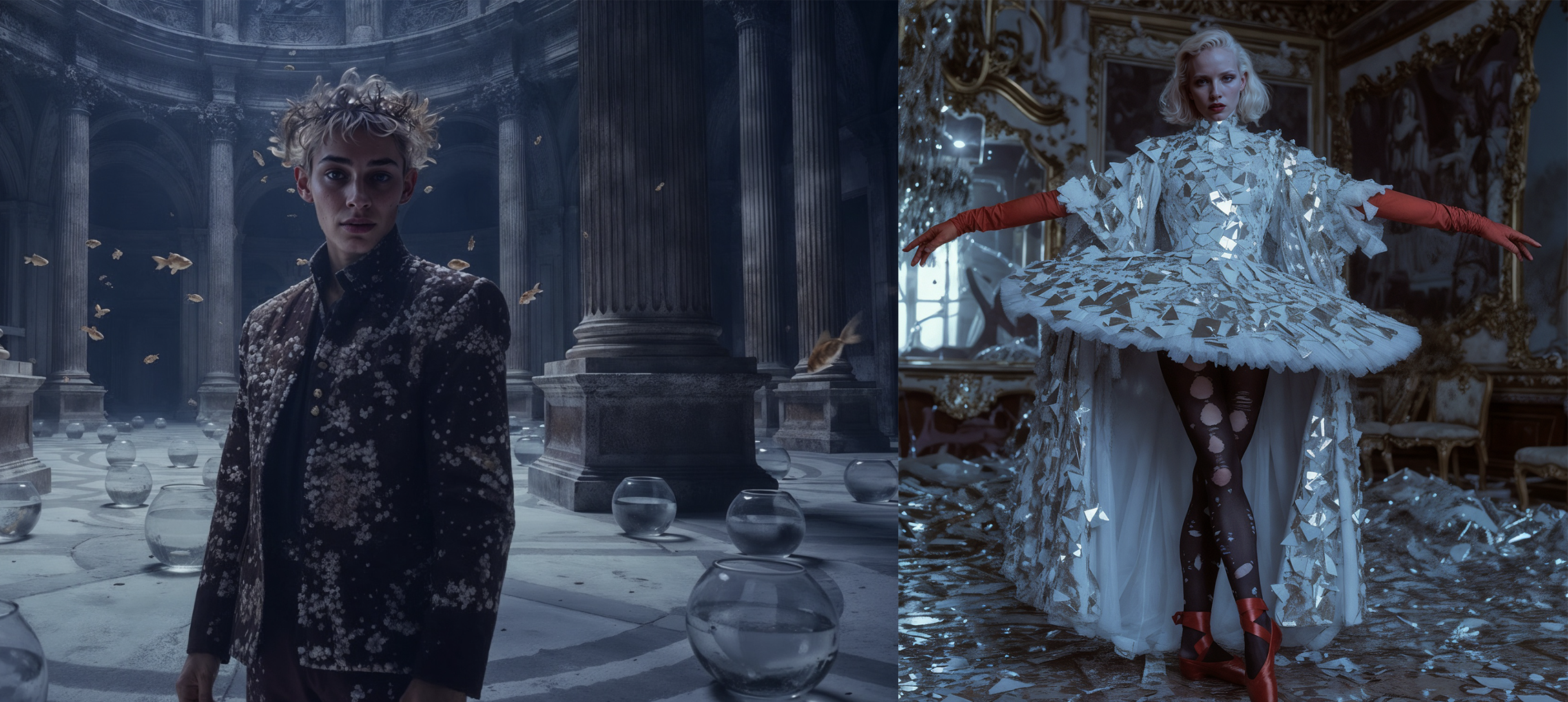
Frontal, symmetrical composition: the frame is divided vertically by a central wall shown in section, slightly blurred, revealing bricks and plaster as if the camera had cut through the architecture. On the right side, the woman stands en pointe in her dazzling tutu made of shattered mirrors, platinum blond hair, red gloves, her cheek pressed against the wall as if she were listening through it. Her background is a decadent baroque salon filled with broken mirrors, ornate furniture, crystal chandelier, and cold bluish reflections. On the left side, the man sits on the ground with his back leaning against the wall, his body slightly turned, dressed in his coral-encrusted costume with an organic crown. His setting is a circular courtyard with monumental classical columns, atmospheric light, and small goldfish floating in the air with scattered fishbowls. The two figures are positioned symmetrically on either side of the wall, separated yet connected by the cinematic composition. The lighting emphasizes contrast: cold metallic blue tones on the woman’s side, warm golden marine tones on the man’s side. Surreal, poetic, highly cinematic atmosphere.
This worked well—but it was hard to tweak. That’s where JSON comes in.
The JSON Prompt for Nano Banana
Here’s the structured version I tested:
Why JSON Helps
By separating the composition, characters, and environments, you can now:
Swap the separator wall (e.g., change
"brick wall"to"glass wall")Adjust lighting moods without touching the rest of the scene
Reuse the structure for new split-screen storytelling
It turns prompt-writing into directing with parameters, not guesswork.
Step-by-Step Workflow
Prepare your character images
Upload frontal images of your two characters in their specific environments, in Nano Banana (I worked it inside Higgsfield). These serve as anchors for costume and identity.Paste the JSON prompt
Insert the JSON above into Nano Banana.-
Customize details
Change the wall type (
brick,glass,steel,organic vines)Modify lighting (
neon green,sunset orange)Swap environments while keeping symmetry intact
Render & iterate
The JSON format makes iteration fast—just edit one field and re-run.
Beyond This Example
This method isn’t limited to split screens. With JSON prompting in Nano Banana, you can:
Build architectural cross-sections of entire worlds
Direct parallel storylines with clean mirroring
Experiment with genre contrasts (sci-fi vs. period drama, in one frame)
The key is to think of JSON as your visual screenplay—where every line is a shot instruction.